

Importing Assets
VGLX loads standard asset formats directly at runtime. There is no offline conversion step and no intermediate file formats. You point a loader at a PNG or an OBJ and the engine handles the rest.
This keeps the workflow simple. Assets go straight from your content tools into the engine without an extra build step in between. The loaders decode source files, construct GPU-ready resources, and hand them back to your application.
Supported Formats
| Asset Type | Supported Formats |
|---|---|
| Textures | PNG, JPEG, TGA, BMP, HDR |
| Meshes | OBJ (glTF support coming soon) |
Loading Textures
In this section we load a texture and apply it to a simple primitive. The image used in this example is a wooden crate texture. Any supported image format will work.
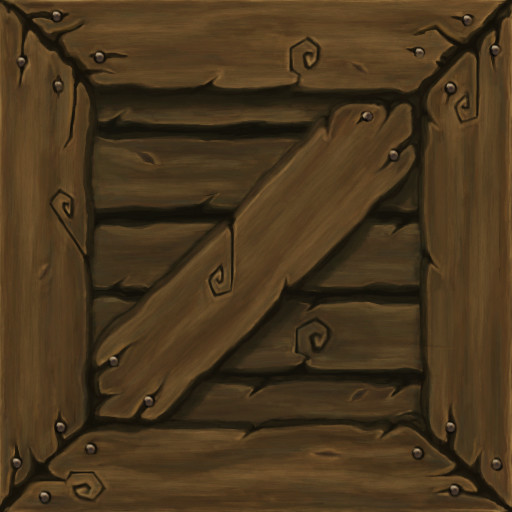
Textures are loaded with the free function vglx::LoadTexture. It returns a std::expected that holds either the loaded texture or a string describing why the load failed.
The following example revisits the rotating cube scene from the previous guide:
#include <vglx/vglx.h>

#include <print>

struct MyScene : public vglx::Scene {
    vglx::Mesh* mesh {nullptr};

    MyScene(vglx::Camera* camera) {
        camera->transform.Translate({0.0f, 0.0f, 2.5f});

        auto texture = vglx::LoadTexture("crate_texture_low.jpg");
        if (!texture.has_value()) {
            std::println(stderr, "{}", texture.error());
            return;
        }

        auto geometry = vglx::BoxGeometry::Create();
        auto material = vglx::UnlitMaterial::Create({
            .color = 0xFFFFFF,
            .texture_map = texture.value()
        });

        mesh = Add(vglx::Mesh::Create(geometry, material));
    }

    auto OnUpdate(float delta) -> void override {
        if (mesh != nullptr) {
            const auto rotation_speed = vglx::math::pi_over_2;
            mesh->transform.Rotate(vglx::Vector3::UnitX(), rotation_speed * delta);
            mesh->transform.Rotate(vglx::Vector3::UnitY(), rotation_speed * delta);
        }
    }
};
The texture is loaded synchronously when the scene is constructed. On success the texture is bound to the material and the mesh is added to the scene. On failure the error is written to stderr and the mesh is left null so the rest of the scene continues to render.
If you used the same source image and followed the steps your application should produce a result similar to the image below:
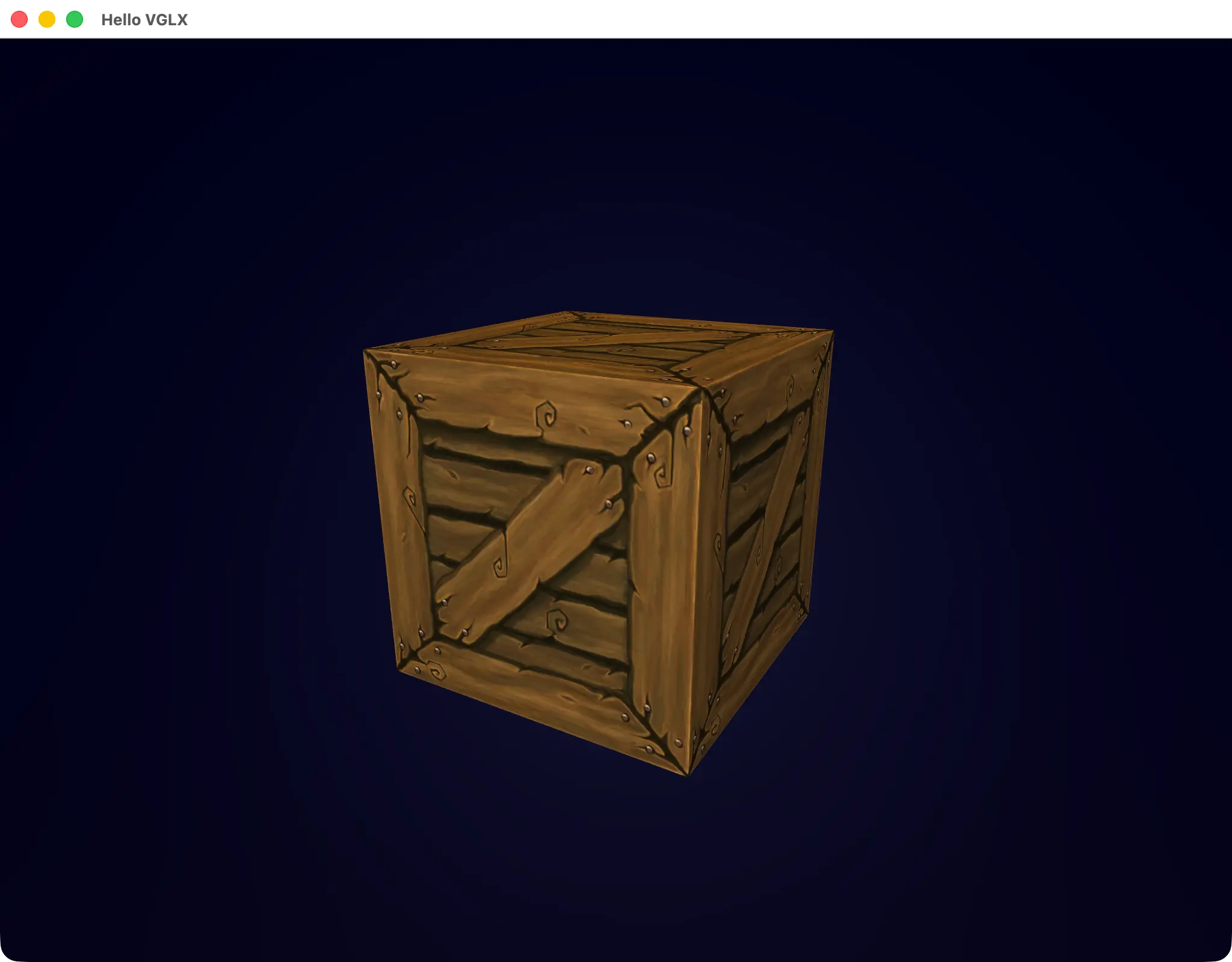
If your application prints a file not found error make sure the image is located in a directory that the application can access at runtime. By default assets are loaded using paths relative to the executable. If your assets live elsewhere provide an explicit relative path when calling the loader.
Loading Meshes
In this section we load a mesh from an OBJ file. Unlike textures, meshes typically reference additional data such as materials and textures. In this example the OBJ references an accompanying MTL file which includes a color map, a normal map, and a specular map.
When loading a mesh the engine treats the OBJ as the root of the asset. Geometry, materials, and textures are resolved together. Referenced images are loaded from the same directory as the OBJ file and bound to the appropriate material slots automatically.
The mesh used in this example is a human head scan by Lee Perry-Smith. Unzip the archive and place the contents alongside the executable to follow along.
Meshes are loaded with the free function vglx::LoadMesh. It returns a std::expected that holds either the loaded scene root or a string describing why the load failed.
The following example loads the mesh and renders it with basic lighting:
#include <vglx/vglx.h>

#include <print>

struct MyScene : public vglx::Scene {
    MyScene(vglx::Camera* camera) {
        camera->transform.Translate({0.0f, 0.0f, 3.5f});

        Add(vglx::AmbientLight::Create({
            .color = 0xFFFFFF,
            .intensity = 0.5f
        }));

        Add(vglx::PointLight::Create({
            .color = 0xFFFFFF,
            .intensity = 1.0f
        }))->transform.Translate({-2.0f, 2.5f, 4.0f});

        auto root = vglx::LoadMesh("lps_head.obj");
        if (!root.has_value()) {
            std::println(stderr, "{}", root.error());
            return;
        }

        // Transfer ownership of the loaded node to the scene graph.
        Add(std::move(root.value()))->transform.Rotate(vglx::Vector3::UnitY(), vglx::math::DegToRad(90.0f));
    }
};
If you followed the steps above using the same source files your application should produce a result similar to the image below:
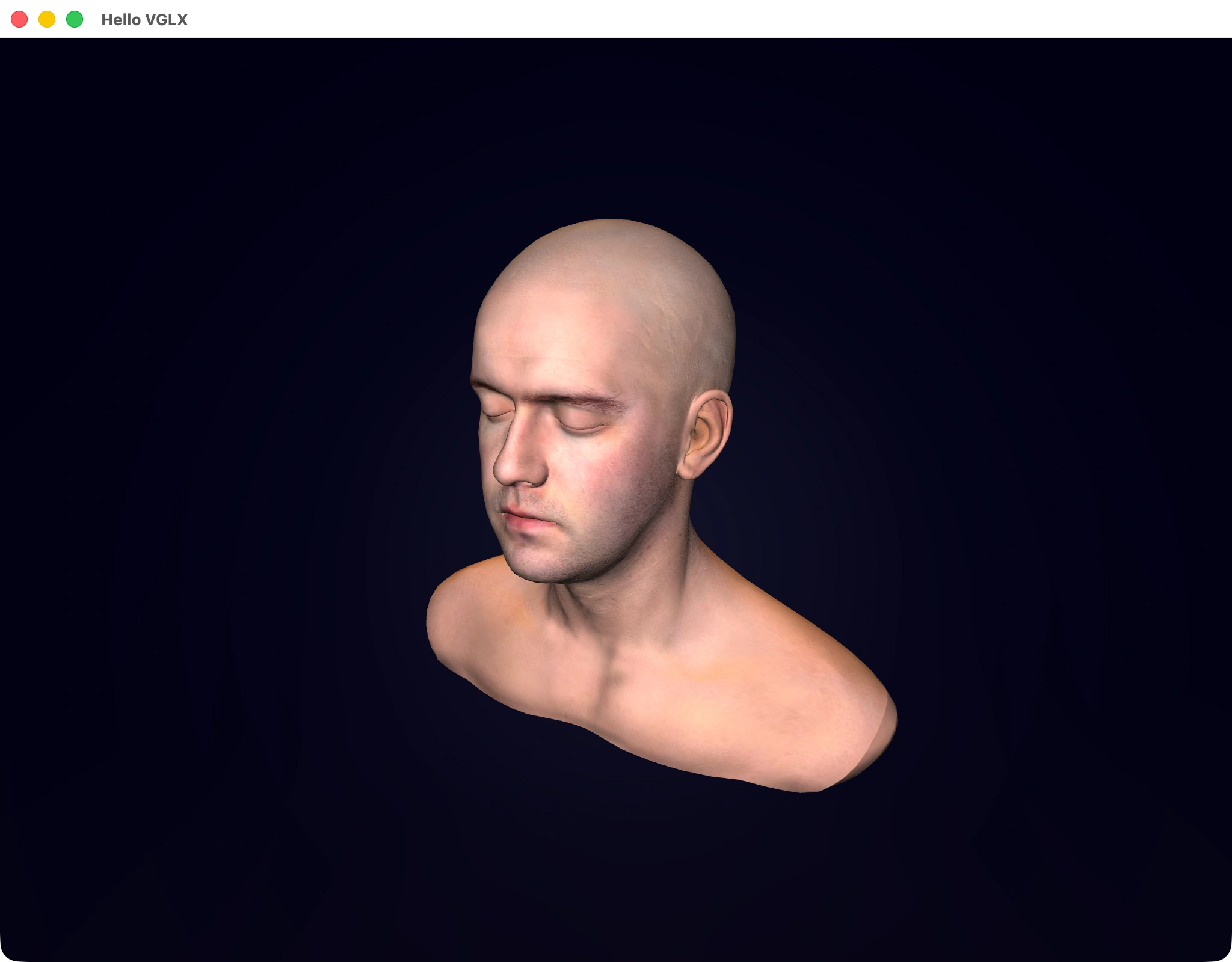
Loading an OBJ file at runtime produces a fully constructed renderable node. The mesh geometry is uploaded to the GPU lazily, material parameters are initialized from the MTL data, and any referenced textures are loaded and bound to the appropriate material slots. No additional setup is required by the application.
Overview
Asset loading in VGLX is explicit and ownership is clear. Loaders construct GPU-backed resources and return them to the call-site where they are owned and managed by the application. VGLX does not introduce global caches, registries, or lifetime management beyond this handoff. You load an asset, attach it, and use it.
This model keeps the engine small and composable. Applications that require caching, streaming, or higher-level asset systems are free to build those layers on top, while applications that do not need them are not forced to pay for their complexity.